Have you ever thought about designing your own PC from the ground up—with every part tailored exactly to your workflow, style, and performance goals? Today, building a computer is no longer limited to enthusiasts or IT professionals. With the help of modern construction software, anyone can visualize, organize, and assemble a high-performance system that meets their exact specifications.

As demand for personalized computing continues to grow, software originally created for architectural or industrial design is finding new life in PC building. These digital tools don'ft just help with component selection—they allow users to simulate layouts, ensure compatibility, and plan cable management before touching a single screw. This article explores how construction software can elevate the PC design process, offering insights, techniques, and smart practices for your next build.
Understanding Construction Software
At its essence, construction software is designed to simplify complex design and planning tasks. It helps users visualize projects, manage details, and maintain precision across every phase. In PC building, these same capabilities translate beautifully to system planning—especially for those who prefer a structured, visually guided approach.
Programs like Fusion 360, SketchUp, and AutoCAD provide intuitive modeling tools that let you create a virtual version of your PC case and internal components. You can arrange your parts in 3D space, preview airflow paths, and verify spacing between the GPU, cooling fans, and power supply.
More advanced tools, such as Revit or SolidWorks, even allow physics-based simulations, which can help test heat dispersion or cable routing efficiency before actual assembly. This step turns the design phase into a digital sandbox where precision meets creativity.
Selecting the Ideal Hardware Components
Once you understand your design environment, the next step is choosing compatible hardware. Each component—from the CPU to the PSU—plays a crucial role in performance, power distribution, and system balance.
Using construction software during this phase helps prevent the most common beginner mistakes. Instead of relying on guesswork, you can import component dimensions or use built-in templates to see how everything fits together inside your chosen case. This level of visualization ensures your cooling system won't be blocked by the GPU or your cables won't obstruct airflow.
Many design programs also integrate compatibility analysis. You can simulate power draw, motherboard socket alignment, and even weight distribution, reducing the risk of purchasing incompatible or oversized parts. This predictive insight saves both money and frustration while reinforcing your understanding of how each part contributes to your PC's ecosystem.
Designing and Assembling Step by Step
With your virtual model ready and your parts selected, it's time to assemble. The process becomes far smoother when guided by your construction layout.
-
Prepare your setup – Organize tools, ensure an anti-static workspace, and keep your design layout visible on-screen.
-
Install the CPU and cooler – Place the processor carefully, attach the cooling system, and check clearance using your software's spatial preview.
-
Mount the motherboard – Align with the standoffs and visualize cable routing paths in your model for cleaner management.
-
Add RAM, GPU, and storage – Slot memory modules, position the graphics card, and secure drives with airflow in mind.
-
Connect the PSU – Route cables efficiently based on the blueprint, ensuring optimal ventilation and accessibility.
Construction software transforms this phase from a trial-and-error exercise into a clear visual workflow. By referring to your model throughout the build, you minimize installation errors and create a cleaner, more professional result.
Testing, Calibrating, and Optimizing Performance
Once your PC powers on successfully, testing becomes the bridge between theory and reality. Construction tools can continue to play a role here—especially when paired with benchmarking and monitoring software.
Simulation modules in platforms like Fusion 360 can predict heat dispersion, helping you refine fan placement or case ventilation. After assembly, tools like Cinebench, HWMonitor, or 3DMark verify that the PC performs within expected parameters.
Optimization is where your design meets fine-tuning. For gamers, this could mean adjusting GPU overclock settings while ensuring stable temperatures. For professionals, it might involve balancing CPU performance with noise levels for efficient multitasking. Construction-based models allow you to revisit airflow layouts or modify structural components to further enhance system efficiency.
The Role of Construction Software in Workflow Efficiency
Beyond technical precision, construction software also improves the workflow of PC design and maintenance. By creating digital blueprints, you can document configurations, record cable paths, and even label components for future upgrades.
This becomes invaluable when troubleshooting or expanding your setup later. Instead of disassembling blindly, you can reference your saved layout to identify which parts connect where. The ability to visualize your PC architecture not only aids in problem-solving but also encourages long-term organization—a trait every advanced builder appreciates.
Additionally, some programs now integrate collaborative cloud features, allowing multiple users to co-design or review layouts. This can be particularly useful for custom PC builders, gaming teams, or creative studios developing uniform workstation designs.
Future-Proofing Your System
Technology evolves fast—today's "top-tier build" can become yesterday's news in a few years. Future-proofing ensures your investment remains relevant as new standards emerge.
Construction software helps forecast these transitions. By maintaining digital blueprints, you can easily swap component models within your layout to test potential upgrades. Want to see how a next-generation GPU might fit your case? Simply replace the existing model and review the airflow simulation.
This proactive approach helps you plan upgrades strategically instead of reactively. It also ensures that your PC remains adaptable to upcoming technologies like DDR5 memory, PCIe 5.0, or liquid-cooling integrations. Building with the future in mind not only extends your system's lifespan but also strengthens your confidence as a designer and builder.
Conclusion
Designing and building a PC with construction software bridges creativity and engineering. It replaces guesswork with precision, allowing you to experiment freely before committing to real hardware. From 3D visualization and compatibility checking to performance optimization, these tools guide every phase of the process.
Whether you're building your first personal computer or managing large-scale workstation setups, integrating construction software ensures clarity, organization, and professional results.
So next time you plan a build, don't just gather parts—start with a digital blueprint. The power of design visualization will not only simplify your assembly but redefine how you approach PC creation altogether.
 Learn More About Food Production Machinery and How Your Snacks Are Made
- How to Find the Right Lawyer for You?
- The Future of Design is Digital: Exploring Construction Software Tools
- The Ultimate DIY Anime Character Customizer: Create Your Dream Avatar
- A Complete Guide to Becoming a Fashion Designer



- Lifestyle
Learn More About Food Production Machinery and How Your Snacks Are MadePicture a bright field of corn under the summer sun or a patch of wheat rippling in the wind. The trip from those farm rows to the snacks in lunch bags and the staples in kitchen cabinets is surprisingly long. Along the way, remarkable machinery does the hard work of turning simple harvests into the foods people recognize and enjoy every day.- Everything Else
How to Find the Right Lawyer for You?Finding the right lawyer can feel overwhelming, especially when you are unsure about what qualities to prioritize in legal counsel. Whether you are navigating a family law issue, a personal injury claim, or a business-related conflict, the right attorney can play a key role in your case’s process and resolution. This article offers key advice to help you locate the ideal lawyer for your unique situation.- Everything Else
The Future of Design is Digital: Exploring Construction Software ToolsHave you ever wondered how construction software is transforming modern design? From sketches to simulations, digital design tools are rewriting the rules of how buildings are imagined and built. What used to take weeks of drafting now happens in hours with a few clicks.- Lifestyle
The Ultimate DIY Anime Character Customizer: Create Your Dream AvatarImagine being able to build your own anime persona from the ground up—every strand of hair, every outfit, every expression crafted exactly the way you want. Thanks to the rise of DIY anime character customizers, that fantasy is now a reality. These interactive tools give fans the freedom to design characters that feel personal, expressive, and ready to live in any creative world.- Lifestyle
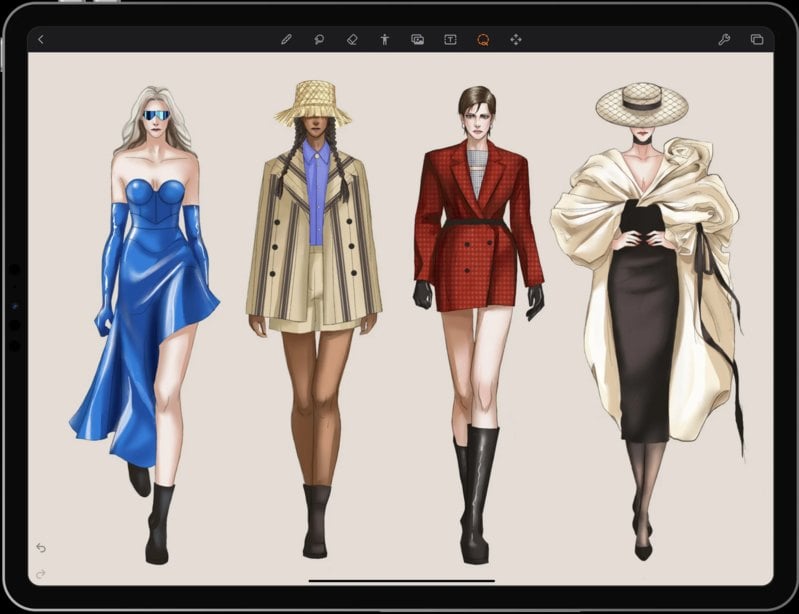
A Complete Guide to Becoming a Fashion DesignerAs someone fascinated by style and creativity, you no longer need a professional studio or expensive computer to start designing clothes. With just your smartphone and the right mobile apps, you can sketch, color, and build complete fashion concepts anywhere. This guide shows you how to become a fashion designer using mobile software—step by step, from your first sketch to your finished digital collection.
- Unsold Electric Cars For Seniors Now Almost Given Away: View Prices
- Looking For Free Dental Implants? Check Out These Top Programs For Seniors
- Discover Affordable Senior Apartments Near You
- Empower Yourself With These HIV Treatment Choices
- Do You Know These Signs of Atopic Dermatitis
- How to Choose Reliable Dating Apps for Meaningful Connections