Many people still use AI virtual assistants as if they were little more than quick-answer tools for simple requests. In reality, modern assistants can do far more. This guide looks at what today's AI assistants are capable of, how to get better results from them, and the ways they are reshaping both everyday routines and professional work.

1. Defining the Modern AI Virtual Assistant
AI virtual assistants combine natural language understanding, adaptive learning, and software integrations to manage work across email, calendars, chat platforms, and connected apps. Unlike traditional automation, which follows rigid if-then rules, these systems respond to context, adjust to habits, and become more useful over time through conversational, flexible interaction.
Main capabilities usually include:
Interpreting everyday language and recognizing what the user is trying to do.
Improving responses based on earlier activity and repeated preferences.
Working with external services and connected digital tools.
Handling tasks that involve several steps through text or voice instructions.
2. Leading AI Assistants and Where They Shine
Google Assistant fits naturally into Android devices, Google products, and many connected home systems. Its strongest advantage is speed with voice commands and routine actions, which makes it especially useful for personal organization and day-to-day efficiency.
Siri is most effective inside the Apple ecosystem, where it works smoothly across iPhone, iPad, Mac, and other Apple devices. Its main value lies in tight platform integration, making it a convenient option for hands-free control among Apple users.
Alexa is closely associated with smart home environments and excels at coordinating connected household devices. For people who want routines, voice-controlled appliances, and home automation, it remains one of the most practical choices.
Microsoft Copilot is deeply connected with Windows, Microsoft 365, and Teams. It stands out in document-heavy and business settings, helping with productivity, workplace collaboration, and information tasks inside enterprise workflows.
ChatGPT, especially in advanced versions, is widely used through the web, APIs, and outside platforms. Its greatest strengths are generating content, explaining information, and supporting analysis, which makes it valuable for writing, programming, and research-focused work.
3. Setting Up an Assistant to Work Smarter
Start by deciding what you actually want the assistant to help with. The answer might be scheduling, drafting content, managing reminders, coordinating tasks, or a mix of several responsibilities.
For email and calendar support, connect services such as Gmail, Outlook, or Apple Calendar so the assistant can help with appointments, meeting coordination, and time planning.
For productivity and customer management, integrate platforms like Notion, Trello, Asana, or Salesforce to support project tracking, workflow visibility, and team coordination.
For files and storage, link services such as Google Drive, Dropbox, or OneDrive so documents can be located quickly, summarized, and used inside broader tasks.
You should also build routines that reflect how your day or week actually runs.
One example is a morning briefing that delivers your meetings, deadlines, and priority items at a fixed time each day.
Another is a weekly recap that gathers team progress, completed work, or major updates every Friday.
You can also create smart alerts, such as asking the assistant to post a status message to a Slack channel at the end of the workday.
4. Tasks You Can Already Hand Off to AI
At work, assistants can organize meetings and automatically include the needed agenda, timing, and participation links.
They can turn online conversations into written transcripts and then condense them into useful summaries.
They can prepare reports from spreadsheet data, reducing the amount of manual formatting and review required.
They can also send reminders, nudges, and follow-up communication without someone having to manage each message directly.
In personal life, they can keep track of reminders for exercise goals, due payments, household chores, or other commitments.
They can manage grocery or shopping lists through spoken commands, which is especially helpful while multitasking.
They can record habits such as sleep, activity, or workouts and keep the information organized over time.
They can even broadcast simple household messages, like announcing that dinner is ready or that everyone should gather.
5. Advanced Workflows for Heavy Users
With tools like Zapier, Make, or Power Automate, assistants can become part of larger API-based systems that connect CRMs, support platforms, and internal documents. A finished task in one app can trigger a note in another system and instantly notify the right team channel.
For content work, an assistant can draft articles, newsletters, or other written material from a short prompt or outline.
It can also help build presentations by working with platforms such as Tome or Beautiful.ai to turn ideas into polished slides.
Social posts can be streamlined as well, with captions, formatting, and hashtag suggestions created automatically.
For analytics, assistants can help users examine data from Excel sheets, databases, or SQL queries through simple language.
They can produce charts, describe patterns, and even suggest future outcomes based on current metrics and trends.
This lowers the barrier for non-technical teams, allowing more people to explore information without specialized data skills.
In knowledge and support functions, assistants can prepare first-draft replies for incoming customer service requests.
They can update help documentation when products or procedures change, reducing maintenance work for internal teams.
They can also power chat systems that recognize tone or keywords and pass conversations upward when human attention is needed.
6. How Different Industries Are Applying AI Assistants
In healthcare, assistants can capture physician dictation and place it directly into electronic health record systems.
They can automate reminders and follow-up communication for patients after visits or before appointments.
They can gather symptom details through triage conversations before the patient even arrives.
They can also support clinicians by surfacing relevant medical information during decision-making.
Organizations that use these systems have reported documentation workloads dropping by around 40%.
In legal work, assistants can review contracts and flag missing clauses, unusual language, or possible risk areas.
They can locate relevant cases and boil down lengthy rulings into shorter, usable summaries.
They can automate administrative work such as time logging and billing support.
They can also help produce drafts of client emails, briefs, and related legal writing.
Some practices report research time falling by as much as 60% with AI assistance.
In education, assistants can create lesson materials aligned with learning standards and instructional goals.
They can assist with grading, generate quizzes, and reduce repetitive teaching tasks.
They can monitor student results and highlight where extra support may be needed.
They can also help learners restate passages, understand difficult questions, or plan study sessions.
Teachers often say AI makes personalized learning easier to deliver at broad scale.
In finance, assistants can watch key measures such as costs, margins, and performance indicators.
They can turn spreadsheet data into dashboards or visual reports that are easier to interpret.
They can raise warnings around suspicious behavior, compliance concerns, or fraud-related signals.
They can also answer customer banking questions or summarize investment holdings through chat interfaces.
Used well, AI strengthens financial judgment and improves visibility for both teams and clients.
In manufacturing, assistants can identify unusual equipment behavior before it leads to breakdowns.
They can support inventory planning and even trigger replenishment when stock levels change.
They can analyze production speed, output, and labor efficiency across operations.
They can also deliver standard operating procedures to workers the moment those instructions are needed.
AI-powered predictive maintenance has reduced downtime in some cases by as much as 25%.
In logistics and supply chain operations, assistants can follow shipments and refresh status information in real time.
They can warn teams about late deliveries, shortages, or interruptions before problems spread further.
They can manage customer communication related to purchases, returns, and shipping progress.
They can also recommend route adjustments that improve movement across transport networks and fleets.
Overall, AI assistants help reduce delays and improve fulfillment reliability.
7. What Comes Next for Virtual Assistants
The next wave will be multimodal. Instead of working only with text or voice, assistants will be able to examine images, diagrams, and other visual inputs so users can ask questions such as what appears wrong in a chart and get a precise response.
They will also become better at reading context and emotion, recognizing urgency, stress, or tone and adjusting the way they respond.
Another major shift will be the rise of team-oriented agents that help coordinate files, assignments, updates, and reporting across groups.
Assistants will also become more aware of their environments, changing digital layouts, launching tools, or even adjusting physical spaces according to the meeting or task at hand.
FAQs
Q1: How is a virtual assistant different from a chatbot?
A chatbot usually follows narrower scripts, while an AI assistant can interpret intent, adapt over time, and take action inside real applications.
Q2: Can I trust an AI assistant with my information?
If you work with private or regulated data, choose platforms that offer strong security, encryption, and enterprise-grade protections.
Q3: Do I need to be technical to use one well?
No. Many assistants respond to plain language, and low-code tools make more advanced automations accessible to non-specialists.
Q4: Is it possible to use one assistant for personal life and job tasks?
Yes. Separate workflows, accounts, or profiles can help keep home and work uses organized.
Q5: What should I do if the assistant gets something wrong?
Use its output as a starting point, review the result, and keep refining the setup so accuracy improves over time.
Closing Thoughts
AI virtual assistants have moved well beyond the stage of being novelty voice tools and are now becoming serious engines for productivity. Students, teachers, freelancers, and executives can all gain meaningful benefits by choosing the right assistant, linking the right systems, and using clear goals to shape how it works. As these tools become more context-aware, more emotionally responsive, and more deeply connected to the systems around us, they will do more than answer requests. They will begin to anticipate them. The opportunity is not only to save time, but to expand what you can accomplish every day.
 Learn Broadly About AI Automation and Its Impact on Work and Industry
- Learn More on AI Remote Management Tools for a Smarter Workday
- AI Virtual Agents Are Already Doing the Small Tasks You Never See
- How to Create Your Own 3D Character with AI Automation Tools
- How AI Virtual Assistants Are Reshaping Digital Communication




- Everything Else
Learn Broadly About AI Automation and Its Impact on Work and IndustryAI automation is becoming one of the most important forces shaping modern business. It is changing how companies complete tasks, how employees spend their time, and how entire industries improve speed, accuracy, and decision-making. For anyone trying to understand the future of work, it is useful to learn broadly about AI automation and what this technology means in daily life.- Everything Else
Learn More on AI Remote Management Tools for a Smarter WorkdayRemote work can give people more freedom, but it can also create a surprising amount of digital stress. Messages arrive from every direction, meetings fill the calendar, notes get scattered across apps, and teams in different time zones may struggle to stay aligned. That is why many professionals now want to learn more on AI remote management tools and understand how these systems can make daily work easier.- Everything Else
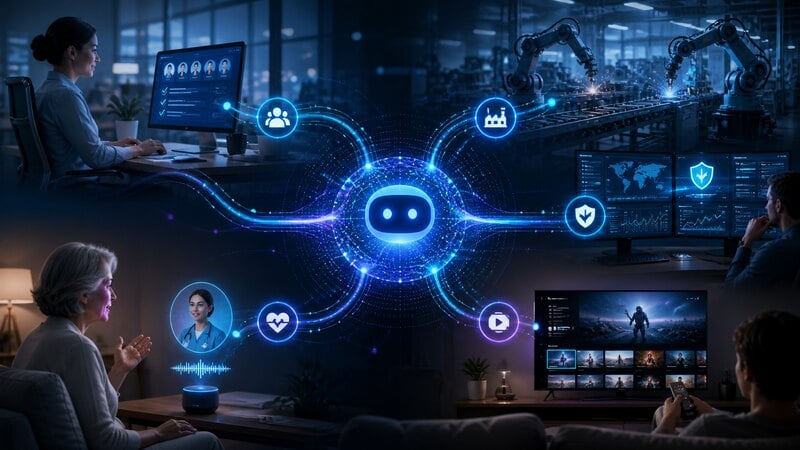
AI Virtual Agents Are Already Doing the Small Tasks You Never SeeFor years, most people imagined artificial intelligence as something they had to talk to. You asked a question. It answered. You typed a request. It replied. That picture is already out of date. A new kind of AI is moving quietly through business systems, healthcare platforms, security rooms, streaming apps, and factory floors. These systems do not simply respond with words. They complete tasks.- Everything Else
How to Create Your Own 3D Character with AI Automation ToolsWhen you want to design a custom 3D character without mastering complex modeling techniques, AI automation tools provide a fast, intuitive, and efficient workflow. With intelligent algorithms and guided interfaces, you can produce characters ready for animation, games, VR, or digital storytelling.- Everything Else
How AI Virtual Assistants Are Reshaping Digital CommunicationHave you ever wondered what it would be like to communicate instantly with technology that understands your tone, intent, and needs? AI virtual agents make that experience real. They help you interact effortlessly, get faster responses, and manage tasks intelligently, transforming how you connect with digital services every day.
- Unsold Electric Cars For Seniors Now Almost Given Away: View Prices
- Looking For Free Dental Implants? Check Out These Top Programs For Seniors
- Discover Affordable Senior Apartments Near You
- Empower Yourself With These HIV Treatment Choices
- Do You Know These Signs of Atopic Dermatitis
- How to Choose Reliable Dating Apps for Meaningful Connections